Club Car Wash Mobile App
- 4.5
- Rating
- 100.00K
- Installs
- Free
- Price
 Analysis by App-foxy
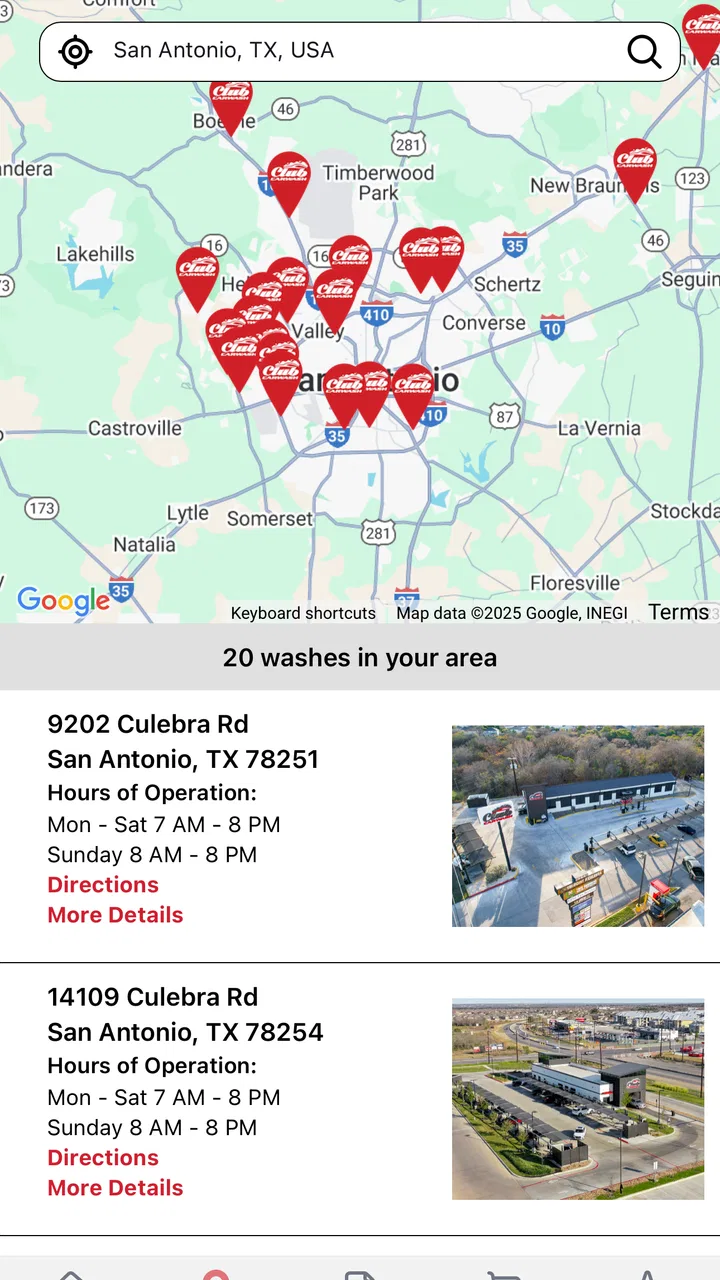
If you are a Club Car Wash member, the Club Car Wash Mobile App is designed to put the practical side of your membership in one place. I approached it as a first-time user would: install it, work through the opening setup, and look for the quickest route to a useful result rather than treating it like a general car-care guide. The app is free, aimed at everyone, and belongs in the Auto & Vehicles category. Its main purpose is managing a wash membership, not replacing the physical wash experience itself.
That distinction matters. I would not download this expecting detailed vehicle maintenance advice, a driving tool, or a collection of car-cleaning tutorials. The value is more focused: it gives members a mobile way to handle their relationship with Club Car Wash. For someone who washes regularly, that can be more convenient than keeping membership information in a browser or relying on paper details. For an occasional visitor who has no membership to manage, the app may feel less useful.
What to expect before you begin
The first thing I noticed is how narrow the app’s job is. Club Car Wash Operating, LLC developed it as a membership-management companion, so the experience makes the most sense when you already use Club Car Wash or are preparing to do so. The store summary describes it as a fast lane for managing a wash membership, and that is a better expectation than thinking of it as a complete car-wash marketplace.
You May Also Like

 Google Keep - Notes and lists
Google Keep’s Quiet Growth Shows the Appeal of Simpler Notes
As mobile work gets busier, Google Keep keeps winning a simple contest: capture a thought quickly, find it later, and get on with the day.

 Blood Strike: 2.5 Anniversary
Blood Strike’s Loadouts Turn Every Drop Into a Tactical Gamble
A close look at Blood Strike’s custom loadouts: how fast access to signature weapons reshapes its battle royale rhythm, rewards preparation, and narrows the gap between fights.

 Pandora - Music & Podcasts
Pandora’s Music Is Easy to Start, but Harder to Recover
Pandora’s strength is its low-effort path from a seed to a station. Its weak spot is how much confidence it asks you to place in connection, setup, and quiet recovery.

 8 Ball Pool
 Is Built on Rivalries, Rematches, and Routine
A close look at the rivalries, rematches, shared routines, and unanswered safety questions that turn a quick pool match into a persistent mobile community.

 Samsung Music
’s Quiet Strength Is Playing What You Already Own
Its reach comes less from spectacle than from dependable access to a personal library. That simplicity is both the app’s strongest retention engine and its ceiling.

 AccuWeather: Weather Radar
AccuWeather Review: A Quick, Clear Forecast for Everyday Decisions
For everyday plans, the best forecast is the one you can understand quickly. AccuWeather makes rain timing, radar, and local conditions easy to act on, with a few trade-offs.
More From Our News Desk



The app has passed the early adoption stage without becoming a huge, anonymous platform: it has more than fifty thousand installs, an average rating of 3.7, and over a hundred ratings. I read that combination as a sign to keep expectations practical. Many people clearly find it useful, but the rating also suggests that the experience may depend on how smoothly your account and membership details line up with the app.
It is free to download, which removes the most obvious barrier to trying it. That does not mean every membership-related decision is automatically free; the app’s download price and the terms of a wash membership are separate matters. I would treat the app as the digital access point for your account rather than assume that installing it changes what you pay or what your membership includes.
The current release is version 20.4.0, and the app requires at least iOS or Android version 12. That operating-system requirement is worth checking before troubleshooting anything else. If your phone is below that level, an installation problem is not something you can solve by repeatedly entering account details. On a supported device, I would also keep the app updated before judging it, because account and membership tools are especially sensitive to compatibility changes.
One useful mindset is to install it before you are already sitting in a queue. A first login is rarely the moment to discover that you need to reset a password, locate membership information, or confirm which account details you used. Setting it up at home gives you time to read each screen and leaves the app ready for the next wash visit.
Starting with the right account details
For a first-time user, the most important preparation is knowing which email address or account identity is connected to your Club Car Wash membership. If you have used more than one email over time, do not guess repeatedly. Try to begin with the address you normally associate with Club Car Wash communications or account activity. A mismatch can make the app appear empty even when the membership itself is active.
This is one of the less obvious friction points with membership apps: the app may be working correctly while the user is looking at the wrong account. Before assuming that your membership has disappeared, check the spelling of the login information and consider whether the membership was originally created under another address. I find this simple check more useful than immediately deleting and reinstalling the app.
During setup, take a moment to read the labels rather than tapping through quickly. A membership-management app can contain several kinds of information that look similar at first glance, such as the account profile and the membership itself. Knowing which screen represents your personal account and which represents your wash access will make later troubleshooting much easier.
I also recommend finishing the initial setup while you have a stable connection. A wash visit is a poor place to discover that a page has not loaded or that you need to repeat a sign-in step. The app’s usefulness is greatest when the administrative work has already been completed and you can open it with a clear purpose.
Reaching the first meaningful success
Your first successful action should be confirming that the app recognizes the correct membership information. That is more valuable than simply opening the home screen. Once you can see that the account and membership are connected as expected, you have proved that the app is ready for the task you actually downloaded it to handle.
I would use a simple sequence: open the app, sign in with the account connected to Club Car Wash, look for the membership area, and verify that what you see matches your own situation. Do not rush past this check. If the account looks unfamiliar or the membership information is missing, stop there and resolve the identity problem before relying on the app during a visit.
This approach also gives you a clear test for whether the app is worth keeping. If you can reach your membership information without unnecessary repetition, the app has already delivered its central benefit. You have turned a vague promise of mobile management into a working routine that can save time later.
A realistic example is a driver who normally washes after work. Instead of waiting until the car is already in line, that person can set up the app at home, confirm the membership, and use the next visit as a quick check that the digital account matches the physical membership. If everything is in order, the app becomes a quiet background tool rather than another task to think about.
That is where I see the strongest everyday use case. The app is not necessarily something you stare at for long periods. It is useful because it can reduce the small amount of account administration around a recurring service. A good membership app should disappear into the routine, and this one is most convincing when it does exactly that.
Where first-time users may hesitate
The biggest source of confusion is likely the difference between downloading the app and having a membership ready to manage. The app is free, but the word “free” applies to the app itself, not automatically to every Club Car Wash service. I would avoid making a purchase or membership assumption based only on the download screen. Read the membership information shown in your account and make decisions from that context.
Another possible misunderstanding is expecting the app to act as a substitute for every part of a physical wash location. Its role is membership management. If you are looking for a broad comparison of wash types, vehicle-care instructions, or a general-purpose automotive utility, this is not the right category of tool. Its focused design is an advantage for members, but a limitation for everyone else.
It is also important not to confuse an account problem with a phone problem. If the app opens normally but does not show the expected membership, examine the account you used first. If the app will not install or run, check the operating-system requirement. These two situations call for different solutions, and treating them as the same can waste time.
The 3.7 average rating gives me another reason to be patient during setup. I would not call that a warning to avoid the app, especially because the number of ratings is still relatively modest, but I would keep a backup plan for the first visit. Have the membership information or the usual account details available until you have personally confirmed that the app works for you.
That backup is not an indictment of the app. It is sensible whenever a digital tool is connected to a real-world service. A login can fail, a page can load slowly, or an account can need attention. The difference between a minor inconvenience and a frustrating visit is whether you prepared before arriving.
How it compares with the usual alternatives
The most obvious alternative is handling everything through a mobile browser or by contacting Club Car Wash directly. A browser can be more flexible if you only need occasional access, especially if you do not want another app taking space on your phone. Direct contact may be preferable when your account needs personal assistance rather than routine management.
The dedicated app has a different advantage: it gives regular members a repeatable place to begin. Instead of searching for the correct web page or remembering where membership information is located, you can open the installed tool and start from the same point. That consistency is more valuable for frequent users than for someone who visits a wash only once in a while.
I would choose the app over a browser when I expect to manage the membership repeatedly and want a straightforward mobile entry point. I would choose the browser or direct support when I am dealing with an unusual account issue, comparing options before joining, or using a phone that does not meet the Android or iOS 12 requirement. The better choice depends on frequency and purpose, not on the app being universally superior.
Compared with a general automotive app, this one is also deliberately limited. A general app might offer broader vehicle information, but it would not necessarily give Club Car Wash members the same focused route to their wash account. In other words, the narrow scope is both the reason to install it and the reason some drivers should skip it.
Small habits that make the app more useful
My first practical tip is to verify the account before you need it. Open the app on a calm day, check the membership area, and then close it. This takes the pressure out of the next visit and reveals account-linking problems while there is still time to correct them.
My second tip is to treat the first successful display as a checkpoint, not the end of setup. Look at the information carefully and ask yourself whether it corresponds to your own membership. A screen that loads is not necessarily proof that the right account is connected. This extra comparison is a small step, but it prevents a surprisingly common kind of digital-service mistake.
My third tip is to keep the app’s role clear when deciding whether to retain it. If you wash often and expect to manage membership information from your phone, the convenience can justify keeping it installed. If you rarely use Club Car Wash and prefer a browser for one-off access, the dedicated app may not add enough value to your routine.
A fourth useful habit is to update the app before troubleshooting a problem. Version 20.4.0 is the current version identified for this review, and running an older build can make it harder to tell whether a problem is local to your account or related to compatibility. Updating is not a guarantee of a perfect experience, but it is a sensible first step before more disruptive actions such as reinstalling.
Finally, I would avoid making the app the only thing you rely on until you have tested it in your own circumstances. A short setup check at home is enough. Once the account is recognized and the membership information looks right, the app can become the convenient first stop it is intended to be.
Who should use it, and who should pass
I recommend Club Car Wash Mobile App most strongly to existing Club Car Wash members who want a dedicated mobile way to manage their membership. It is also a sensible trial for people who are joining and prefer to organize service information from a phone rather than a desktop browser. The free download and Everyone content rating make it easy to try on a supported device.
I would be more cautious if you are an occasional customer, are still comparing unrelated car-wash providers, or want a full automotive toolkit. The app’s focused purpose will not compensate for those needs. Someone who only needs rare access may find a browser more convenient, while someone with a complicated account problem may be better served by direct assistance.
The app may also be a poor fit if your phone cannot run iOS or Android 12. In that case, the issue is not whether the membership tool is well designed; the device simply falls outside the stated minimum requirement. Checking compatibility before downloading saves time and avoids mistaking an installation barrier for a service failure.
My overall view after the first-use journey
What I like about this app is its clear purpose. It does not need to be a complete automotive platform to be useful. For a Club Car Wash member, the important question is whether it provides a dependable, easy-to-find route to membership management, and that is the standard I would use when deciding to keep it.
What keeps me from giving it an unqualified recommendation is the possibility of account confusion and the middling 3.7 average. The app has over a hundred ratings and more than fifty thousand installs, so it is established enough to be worth trying, but those figures do not suggest that every user will have a frictionless experience. I would set it up before a wash visit and keep basic account information available until the process feels dependable.
For me, the best next step is simple: install it on a supported phone, sign in carefully, and confirm the membership information before using it in a hurry. If that first meaningful check succeeds, the app can remove a small but recurring bit of effort from your wash routine. Its real strength is convenience for the right audience, not breadth for everyone.
In the end, I see Club Car Wash Mobile App as a practical companion rather than an essential app for every driver. Regular Club Car Wash members should find the focused approach worthwhile, especially when they prepare the account at home and use the app as a quick administrative tool. Drivers without an ongoing need for Club Car Wash membership should probably skip it and use a more general or occasional-access option instead.
FAQs for Club Car Wash Mobile App
01What features does the Club Car Wash Mobile App offer?
The Club Car Wash Mobile App provides features such as locating nearby car wash locations, checking hours of operation, and viewing available services. Users can also make payments directly through the app, manage their membership plans, and receive exclusive discounts and promotions. It’s designed to enhance convenience and streamline the car washing experience.
02Is the Club Car Wash Mobile App available for both Android and iOS devices?
Yes, the Club Car Wash Mobile App is available for download on both Android and iOS devices. You can find it on the Google Play Store and the Apple App Store. Ensure your device meets the minimum system requirements to install and run the app smoothly for the best experience.
03How does the payment and membership management work within the app?
The app allows users to manage their payments and memberships effortlessly. You can link your preferred payment method, such as a credit or debit card, to handle transactions securely. Additionally, the app provides options to subscribe, renew, or cancel memberships, making it easy to manage your car wash plan on the go.
04Are there any special promotions or discounts available through the app?
Yes, the Club Car Wash Mobile App frequently offers special promotions and discounts exclusively for app users. By enabling notifications, you can stay updated on the latest deals and offers. These promotions are designed to provide additional value to loyal customers and encourage more frequent use of the services.
05What should I do if I encounter issues with the app?
If you experience any issues with the Club Car Wash Mobile App, you can reach out to their customer support for assistance. The app typically includes a help or support section where you can find FAQs, troubleshooting tips, and contact information for customer service. Make sure your app is updated to the latest version to avoid common issues.
Pros
- User-friendly interface enhances navigation.
- Efficient booking system saves time.
- Real-time updates on wash status.
- Loyalty program rewards frequent users.
- Secure payment options for peace of mind.
Cons
- Limited locations restrict accessibility.
- Occasional app crashes disrupt usage.
- No offline mode for poor connectivity.
- High data usage in certain features.
- Customer support response can be slow.

Club Car Wash Mobile App
Gallery